Free & Pro
AI object detection
See what the camera recognises.
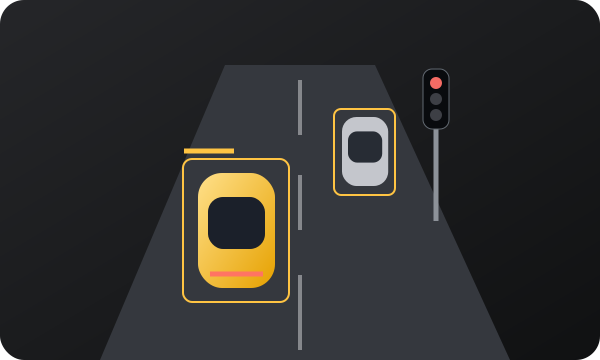
Boxes and labels bring supported road objects into focus, directly over the camera image.
Seven road categories
Cars, buses, people, bicycles, motorcycles, traffic lights and stop signs are the current supported classes. The detector draws a box and a class label; it does not identify an exact vehicle model or every kind of road hazard. For context, read what an AI dashcam does, the guide to detection boxes and supported objects, and our method for evaluating detection evidence.
Use the camera as your reference
Detection is the clearest way to compare a label with the original image. Pick a detector model from the AI model selector and choose Detection using the view button. Set up your mount before driving so the lens has a clear view.
Confidence needs context
A confidence value describes the model’s confidence in a detection. It is not a collision probability or a guarantee that the road is clear. Small, dark, partly hidden or unfamiliar objects can be missed. Camera AI runs on the iPhone.
Check the output before departure
While parked, choose the Free detector, allow camera access and confirm that the preview shows the road rather than the dashboard. Compare a visible object with its box and label. If the label is uncertain, use the image as your reference. A setup check is not a detection-accuracy benchmark.
Which view next?
Stay in Detection to see the original image. Choose Virtual for simplified object symbols, Maps for mapped streets, or the Pro segmentation model for masks. None expands the camera field of view. Spoken alerts are optional and do not guarantee that every hazard will be announced.
Read the guide ↗